WordPress problem fix
A lockout almost never means you were hacked. We can get you back in through your host or database without your old password.
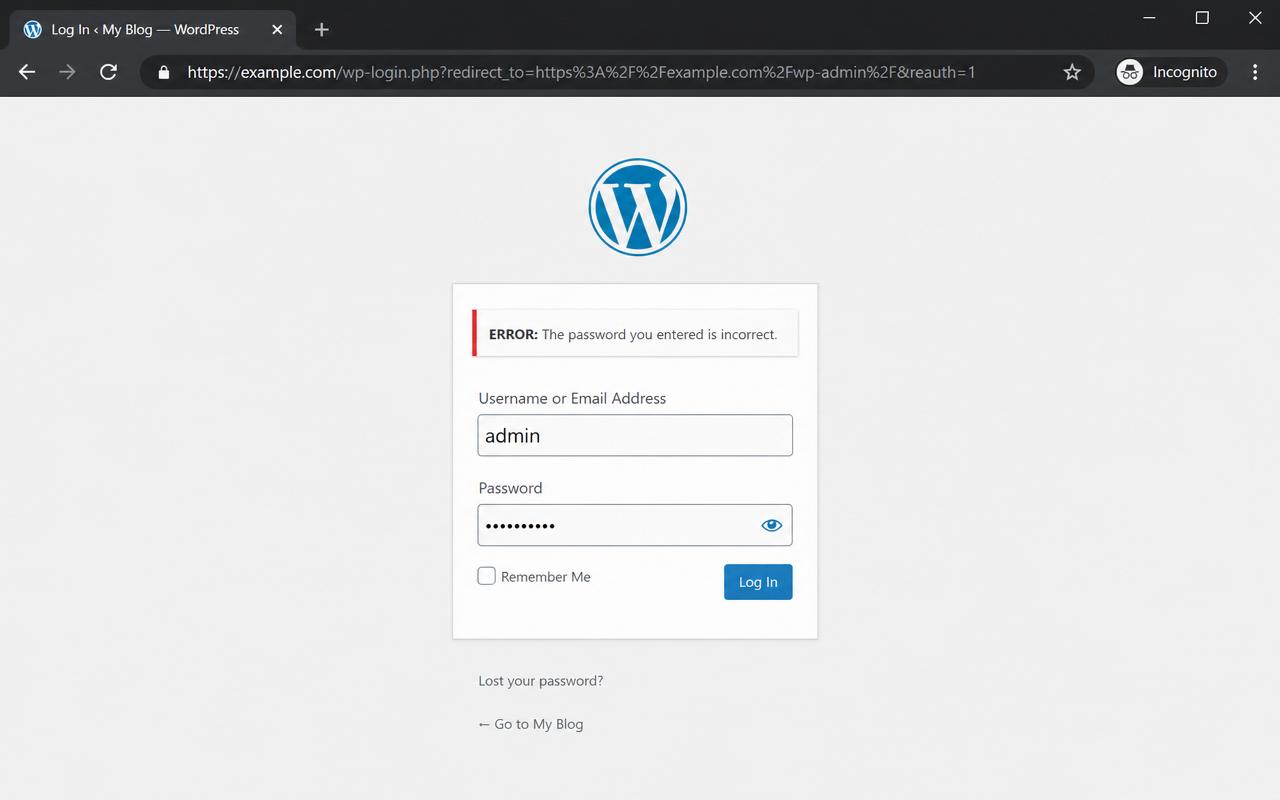
If wp-admin keeps refreshing, sends you back to the login screen, or rejects a password you know is right, you are almost never actually hacked. The usual causes are a caching or security plugin, a wrong site address saved in the database, or a forced HTTPS conflict. The good news: you can get back in through the hosting panel or the database without your old password, usually within the hour.
If any of these match, you are on the right page.
Login page reloads and never lets you in
Correct password keeps getting rejected
wp-admin redirects to the home page
You lost access after a plugin or host change
Usually the site address saved in the database is wrong, or a security or cache plugin is stripping your login cookie. The browser logs you in, then the next request acts like you are signed out, and it loops.
A security plugin may have locked the account after failed attempts, or another admin reset it. The password itself can be replaced directly in the database without your old one.
Almost never. Real compromises usually keep you logged in while injecting spam content. A pure lockout is far more often a config or plugin issue and is quick to fix.
The real method, in the order it works.
Use the host one click login to reach wp-admin without a password.
If there is none, set a new password in the database users table and choose MD5 as the hash type.
Create a fresh admin account for you.
Disable the security or cache plugin causing the loop.
Fix the site address so it does not recur.
Real fix, from our work
A client on Bluehost called me in a panic. He was locked out of his own WordPress site, his dev team was gone, and he needed it sorted fast. I used the host's one click login to get straight into wp-admin without his old password, then created a fresh admin account so he was back in control. From his call to him logging in again was minutes, not days.
Written by Ali Yasin Jatoi
Founder of WebCare Studios. Ali has worked with WordPress for more than 10 years, including managing a Pearl Lemon internal fleet of 150+ sites with WP-CLI automation for updates, security cleanup, and malware removal. He has hands on experience across major hosts including Cloudways, A2 Hosting, Hostinger, and Bluehost.
Site down, hacked, or broken checkout gets a senior engineer within 4 hours. No ticket queues, no bots.
Flat quote up front. If we cannot get you back online, you do not pay. Risk sits with us, not you.
We work on a snapshot first and never touch your live database until the fix is verified safe.
Our founder managed 150+ Pearl Lemon internal WordPress sites. The errors you are seeing are ones we have closed hundreds of times.
We use file or database access instead. We can set a new password directly in the wp_users table, or add a brand new admin account, without needing your old credentials.
No. Resetting your password only ends your own active sessions. Other admins and users keep their access.
Yes. Security plugins like Wordfence and iThemes lock accounts after failed attempts or based on rules. We can disable them through the files to get you back in, then re-enable with safer settings.
If nothing else looks off, almost always yes. We do a quick safety check after getting you back in, so you know the site is not actually compromised.
Two fields. Email and your URL. A senior WordPress engineer reads it within minutes and replies on email and WhatsApp with what is wrong and what we will do next.
Real proof and field guides tied to "Can't log into wp-admin".
